Portfolio  /  SerenQ  ·  ● Live · Functional · Flagship

— Career · Studio flagship

Know before
you apply.

An AI analyst for your career. SerenQ surfaces the right roles, scores your fit before you apply, and tells you exactly what to fix.

Try SerenQ → See how FitScore works serenq.lior.ventures
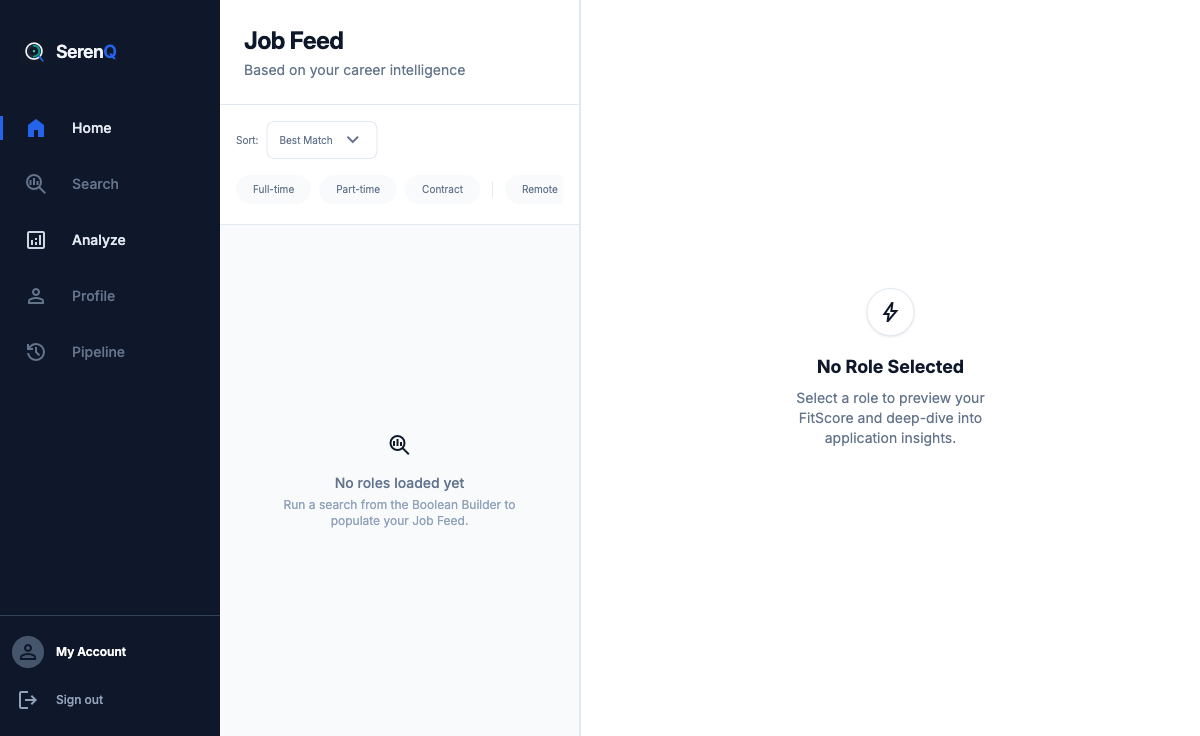
SerenQ Job Feed — real product UI

§ Proprietary signal · FitScore™

A single number, 0–100, that tells you if a job is worth your Sunday afternoon.

85+
STRONG FIT

Apply. Your resume already speaks the language the JD is asking for.

60–84
STRETCH

Worth it — with edits. SerenQ tells you which three lines to rewrite.

< 60
SKIP

Save your Sunday. The gap is real. Come back when you've closed it.

Tiers are semantic (green / amber / red). Gold is reserved for SerenQ's studio chrome and Q Mark™ — never for scoring.

§ How it works

Three steps. Under five minutes.

STEP 01
Upload your resume
Parsed once. Semantic profile stored securely — Supabase auth + row-level security.
STEP 02
Point at a JD
Paste a URL or the raw text. FitScore returns in seconds with the tier and the gaps.
STEP 03
Decide, then act
Apply, edit, or skip — with the specific rewrites called out. No more shotgun applications.

SECOND SIGNAL · Q MARK™

The role is right. Is the company?

FitScore tells you whether you fit the job. Q Mark tells you whether the job is worth fitting into — culture signals, tenure patterns, growth stage, glassdoor texture — assembled into a single quality mark.
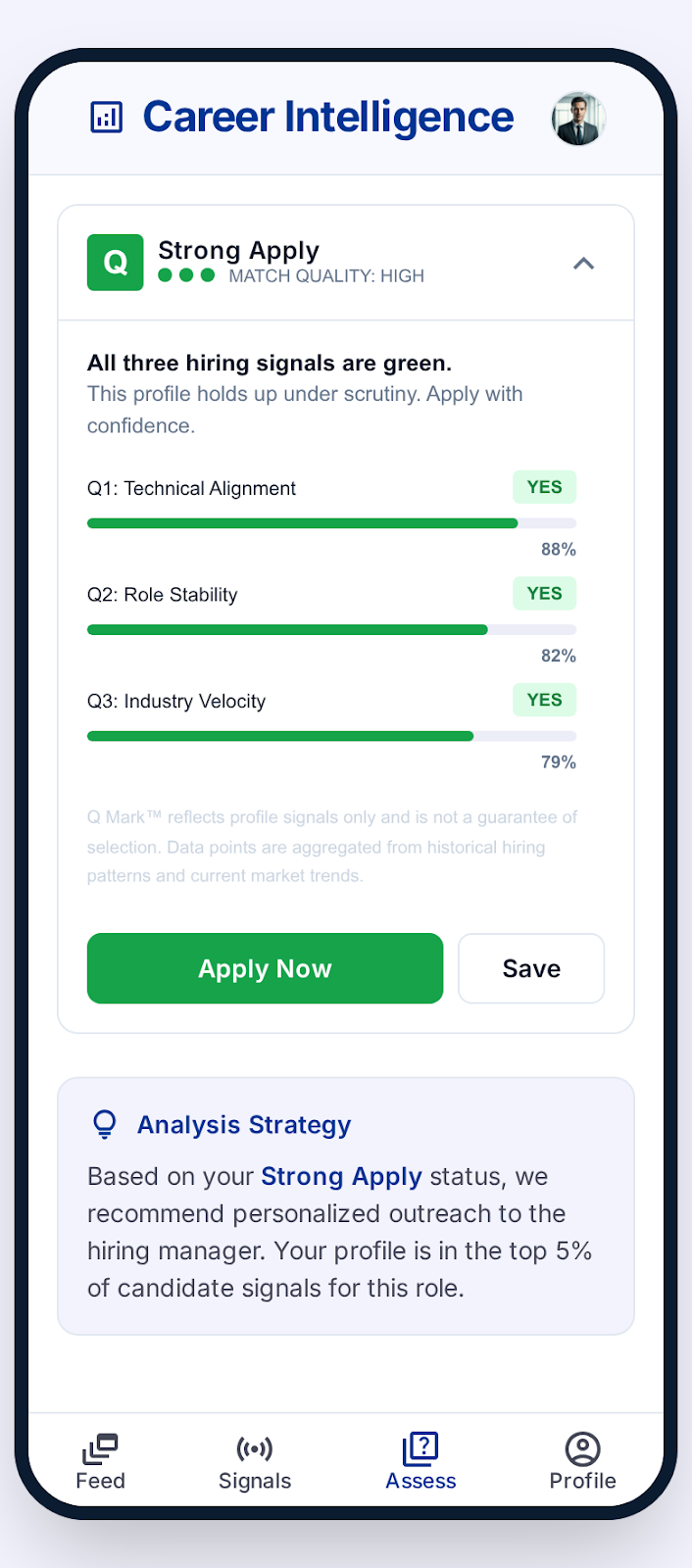
  • Company quality signal, independent of role fit
  • Tuned by role stage — different bar for IC vs. director
  • Refreshed on each application check
SerenQ Q Mark card — company quality signal